• Evie Finch @ewie
    September 25, 2024 at 12:04 pm

    Shared - By switching all the lightbulbs in your house to LED…

    By switching all the lightbulbs in your house to LED, you saved enough energy for a self-driving car to make an unprotected lefthand turn across three lanes of traffic. — from The Department of Energy Wants You to Know your Conservation Efforts Are Making a Difference

    1. #share

    View Comments
  • Evie Finch @ewie
    September 22, 2024 at 2:23 am

    Hey, so Flyleaf is actually kinda good?

    This is a mini app review, in case you couldn’t tell from the tag that says “app review”.

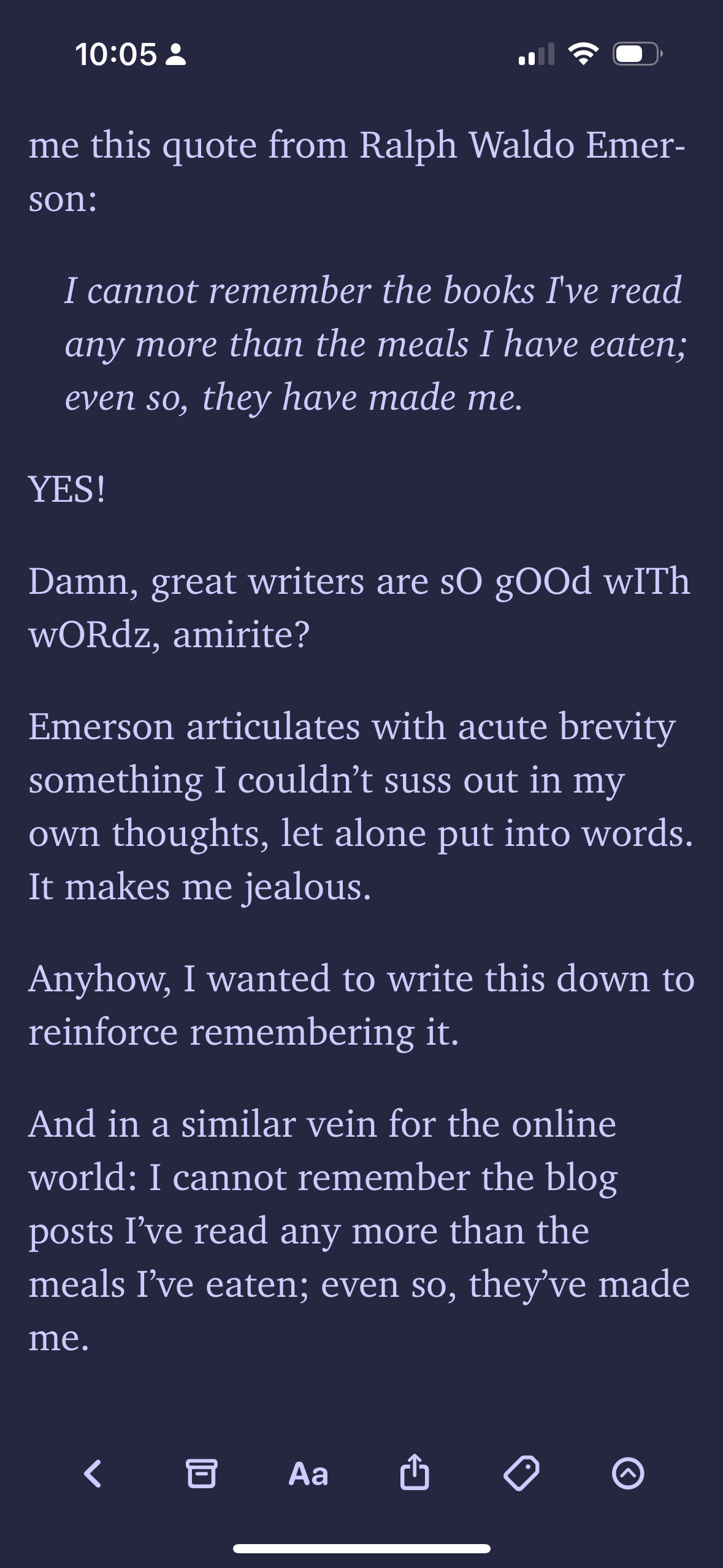
    Flyleaf is a “read it later” app whose main inspiration is Instapaper, an old read later app from 2008 (and probably the first one ever made). But it’s not just based on Instapaper, it’s based on the Instapaper from 2008. With pagination. The dev has stated that his main reason for making it is just that there’s nothing else out there that has Instapaper’s pagination feature, and Instapaper itself doesn’t even support it that well.
    A screenshot of an article inside of Flyleaf

    I quite like pagination (scrolling hurts my wrist and feels worse to read), so it was a no brainer for me to use. It also doesn’t hurt that it’s cheaper than the read later app I was using before (also, matter is integrating a bunch of ai features that get in the way of the reading part of a read later app. Really sucks but that’s what vc money gets you). I’m still using the old one too for the remaining length of the subscription, but I’m hoping that I won’t have to renew it.
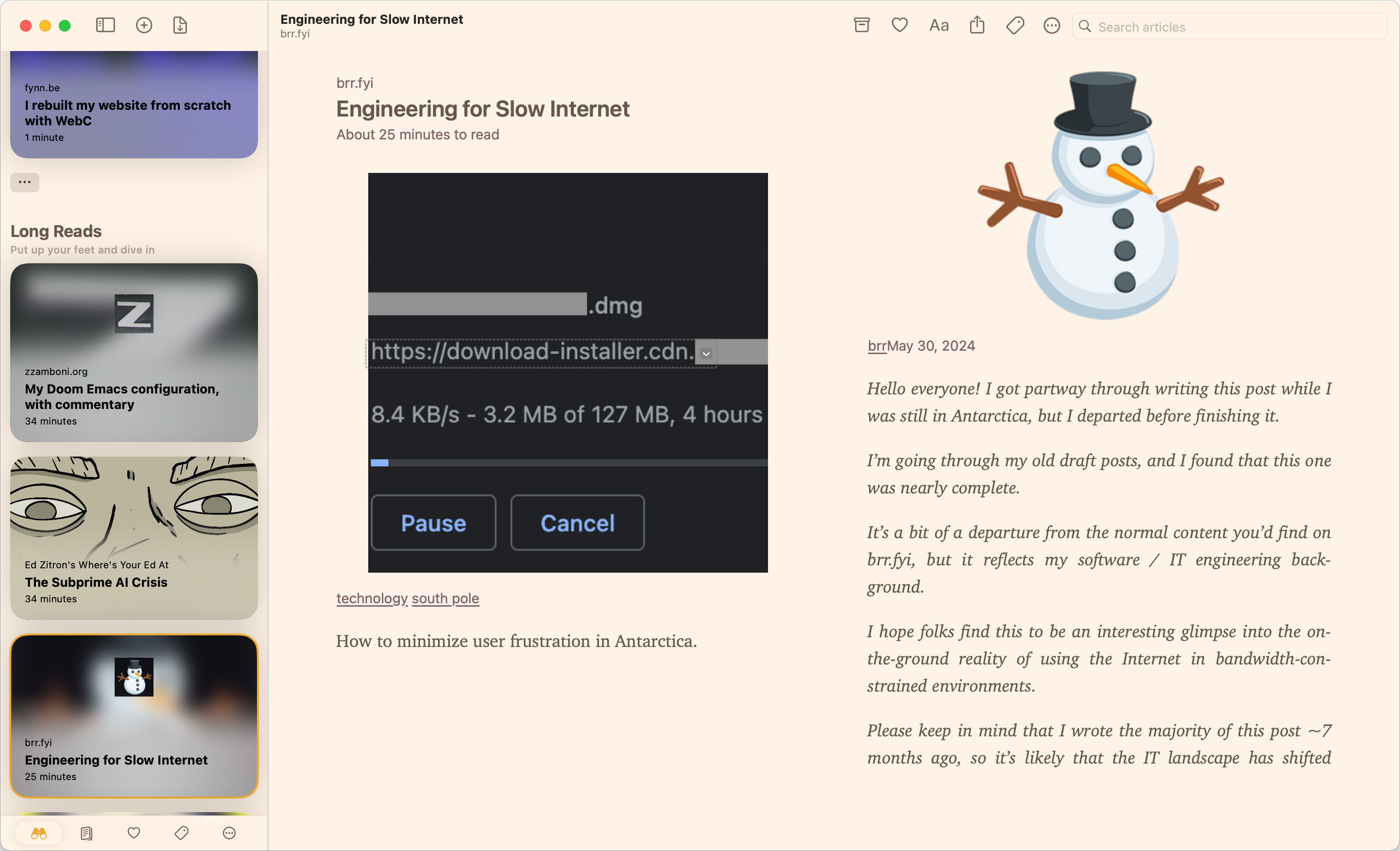
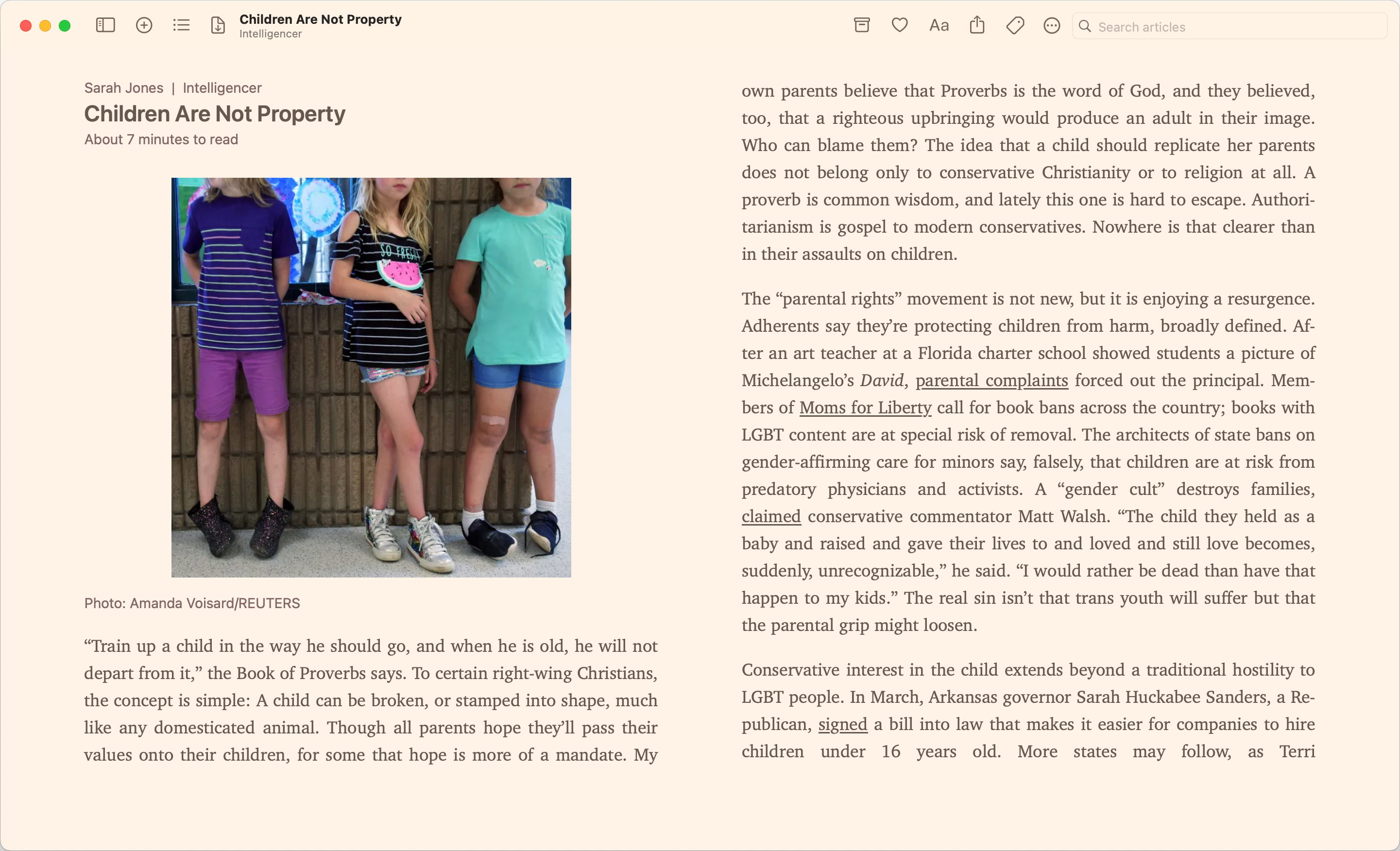
    A screenshot of flyleaf that showcases the sidebar

    Anyways, here’s a comparison of the pros and cons because my brain is too tired to write a more detailed review.

    Pros

    • Pagination (the big one!)
    • Pretty solid themes (they come second to Matter)
    • Doesn’t just show you the articles from oldest to newest. Instead shows you articles based on certain vibes (short reads, long reads, new, random). Really nice!
    • Multiple ways of organizing stuff
    • Made by an indie dev
    • Local first!

    Cons

    • Made by an indie dev (I haven’t run into parsing issues yet, but I doubt one guy will be able to do a better job than companies like Readwise Reader, Pocket, Instapaper, Matter, etc. But who knows?)
    • Local first (you need to be able to download the article on your phone to read it. you can’t save stuff if you don’t have internet)
    • iOS/macOS only (sorry android people)
    • Has a subscription, although the subscription doesn’t stop you from reading things. It just affects themes and stuff.
    • Idk I think that’s it? I’ll update this if I have more problems I guess
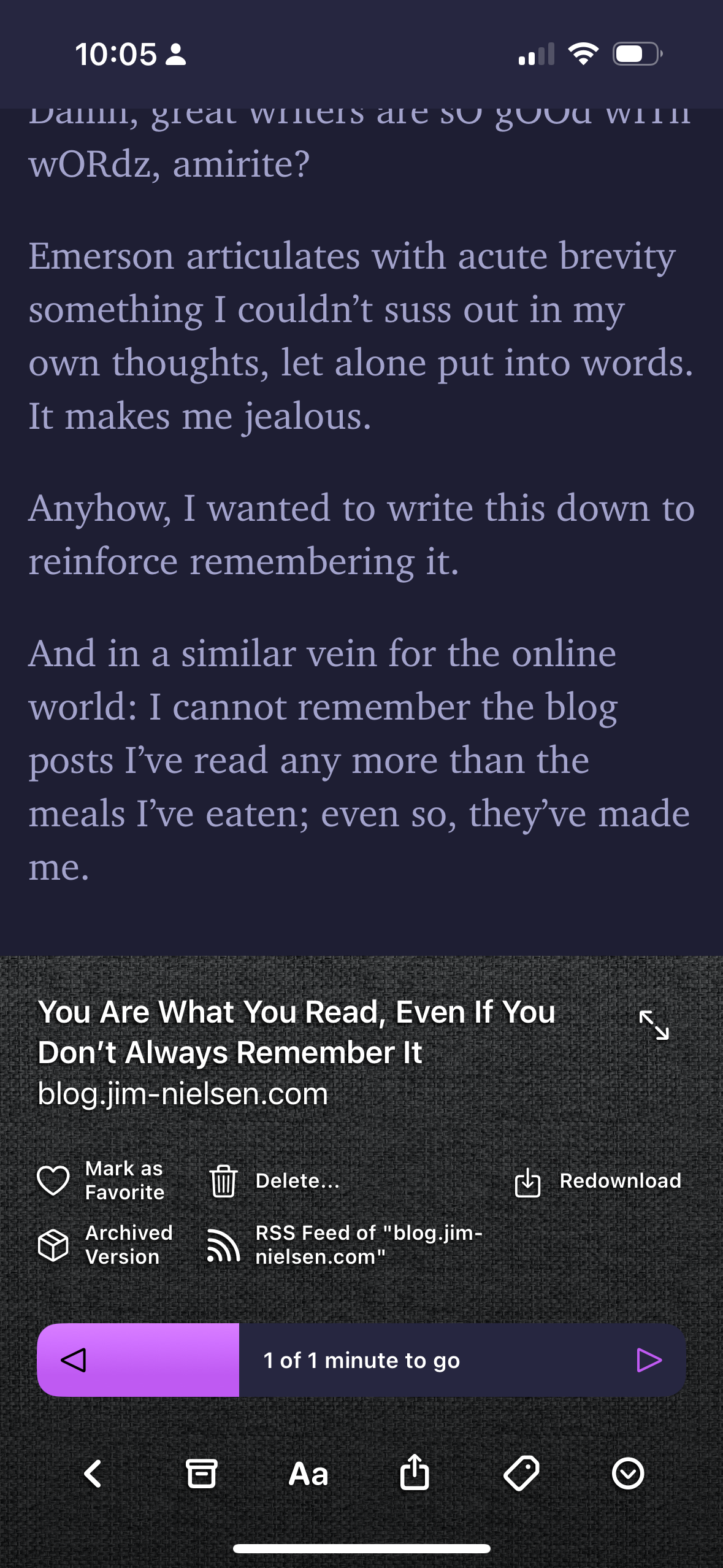
    The mobile app in dark mode The same screen as before but with the bottom drawer open, showcasing the remaining time left in the article, as well as some quick actions you can take.

    So that’s Flyleaf! Check it out! I’m enjoying it at least!

    1. #App Review
    2. #I wrote this too late at night
    3. #But I gotta keep posting if you get what I mean

    View Comments
  • Evie Finch @ewie
    September 19, 2024 at 12:00 pm

    Testing! Sent from my iPhone

    This post was written on my phone! Trying to build a bit of a workflow maybe to make posting on mobile as seamless as possible.

    1. #evie online
    2. #phone

    View Comments
  • Evie Finch @ewie
    September 15, 2024 at 5:56 pm

    god i really wish there was an alternative to raindrop for saving images

    i like hoarding images i like, and there’s just very few apps and tools i can use to actually do that and it sucks idk. let me hoard images! raindrop is passable but i don’t like that opening them just opens it in the browser and also just raindrop in general idk

    1. #cohost archive

    View Comments
  • Evie Finch @ewie
    September 15, 2024 at 3:47 pm

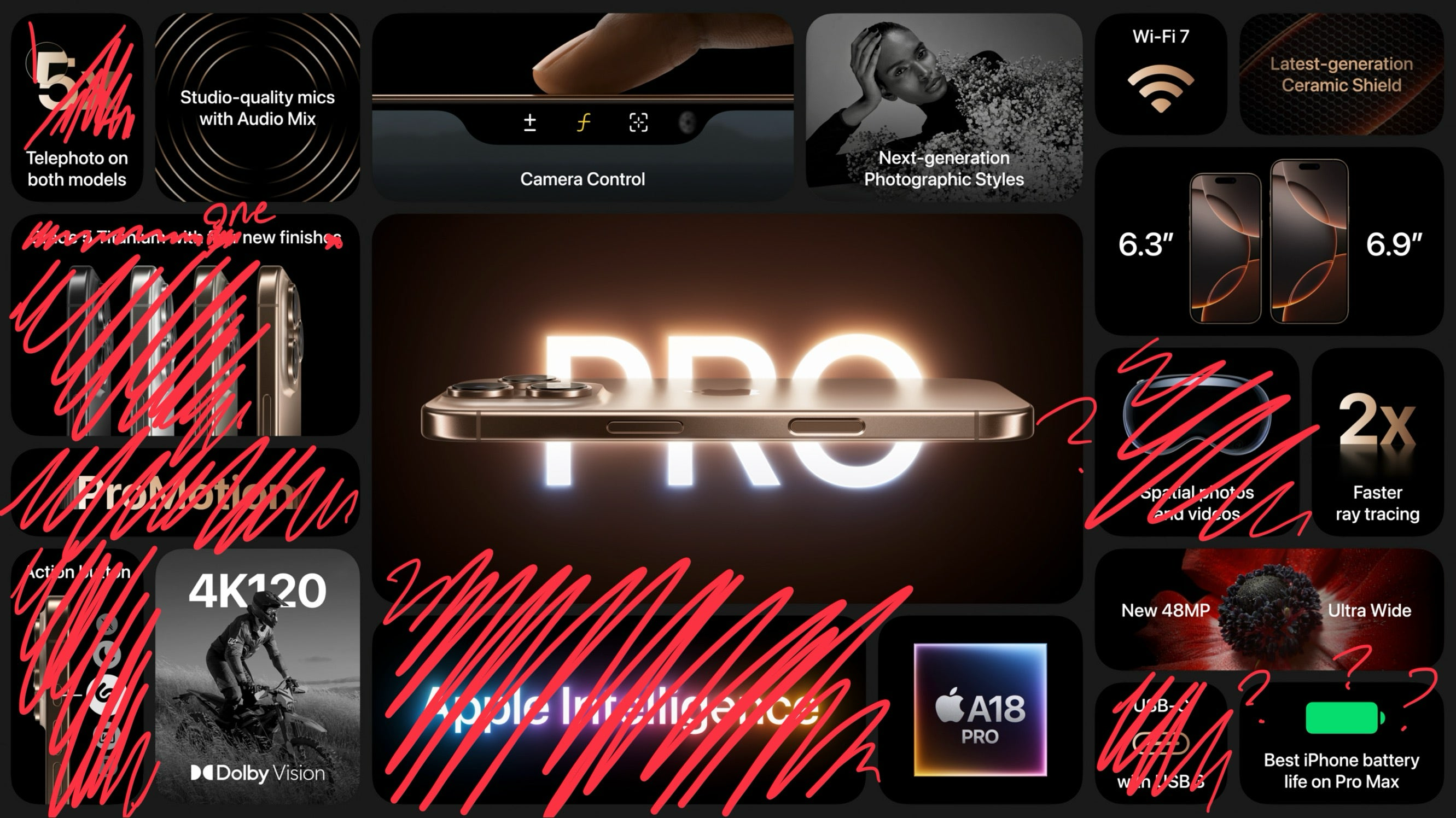
    the iphone 18 pro banner except i removed everything that isn't exclusive to the new phone

    1. #glowtime
    2. #iphone 16
    3. #turns out i had one draft
    4. #drafts jubilee
    5. #cohost archive

    View Comments
  • Evie Finch @ewie
    September 15, 2024 at 12:00 pm

    Testing!

    Here's a test post! Just giving things a try here. Expect more to come!

    1. #evie online

    View Comments
  • Evie Finch @ewie
    September 13, 2024 at 1:24 pm

    guys who are moving to blogs: you gotta make it easy to post

    if you post a lot on cohost it’s almost certainly because you have it saved on your home screen and the work needed to make a new post is open the app and tap the compose button. you gotta make it just as easy to post on your own site! you’re not gonna use it as much if you don’t! it’s okay to spend way too much work up front ensuring the actual posting process is as seamless as possible, but it’s gotta be easy in the moment for you to go from dumb joke to posted dumb joke

    1. #if you’re on ios
    2. #shortcuts help a lot
    3. #you gotta post
    4. #blogs
    5. #cohost archive

    View Comments
  • Evie Finch @ewie
    September 11, 2024 at 11:25 pm

    my only regret1 with cohost shutting down is that i haven’t seen enough cool art on here.

    please comment or share or whatever with cool art

    Footnotes

    1. aside from all the other ones ↩

    1. #cohost archive

    View Comments
  • Evie Finch @ewie
    September 10, 2024 at 2:31 am

    with cohost shutting down i do wanna say since i wont feel as guilty about it now

    i’m still actively looking for work. i have experience with front end dev, ui design, and have worked in the education sector. i’m good at building things up and breaking down concepts. you can find my work info at eviefinch.com under portfolio. idk it’d still be nice to add one more nice thing cohost has done for me at the end of it all, even though it’s already given me more than enough

    1. #looking for work
    2. #cohost archive

    View Comments
  • Evie Finch @ewie
    September 9, 2024 at 8:18 pm

    i’m gonna have to make a blog

    1. #cohost archive

    View Comments
Prev ( 16 of 24 ) Next